



Talk to the experts
Learn more about Extend and find out if it's the right solution for your business.
January 26, 2026 2:33 PM
As teams grow, so does the complexity of managing expenses. New cards, new tools, new users, and new processes can quickly turn spend and expense management into a patchwork of workflows that slow everyone down.
That’s why we continue to evolve Extend’s spend and expense management platform - helping finance teams gain clearer visibility, automate routine work, and keep controls in place as spending scales. Our latest advancements focus on meeting teams where they already work, improving how expenses are captured and reviewed, and simplifying reconciliation through automation, all without forcing changes to existing workflows.
Here’s a look at what’s new on the platform.
You may rely on one primary corporate card today, but chances are your company doesn’t run on just one card alone. You might use Extend with one bank partner while still having other business cards issued elsewhere.
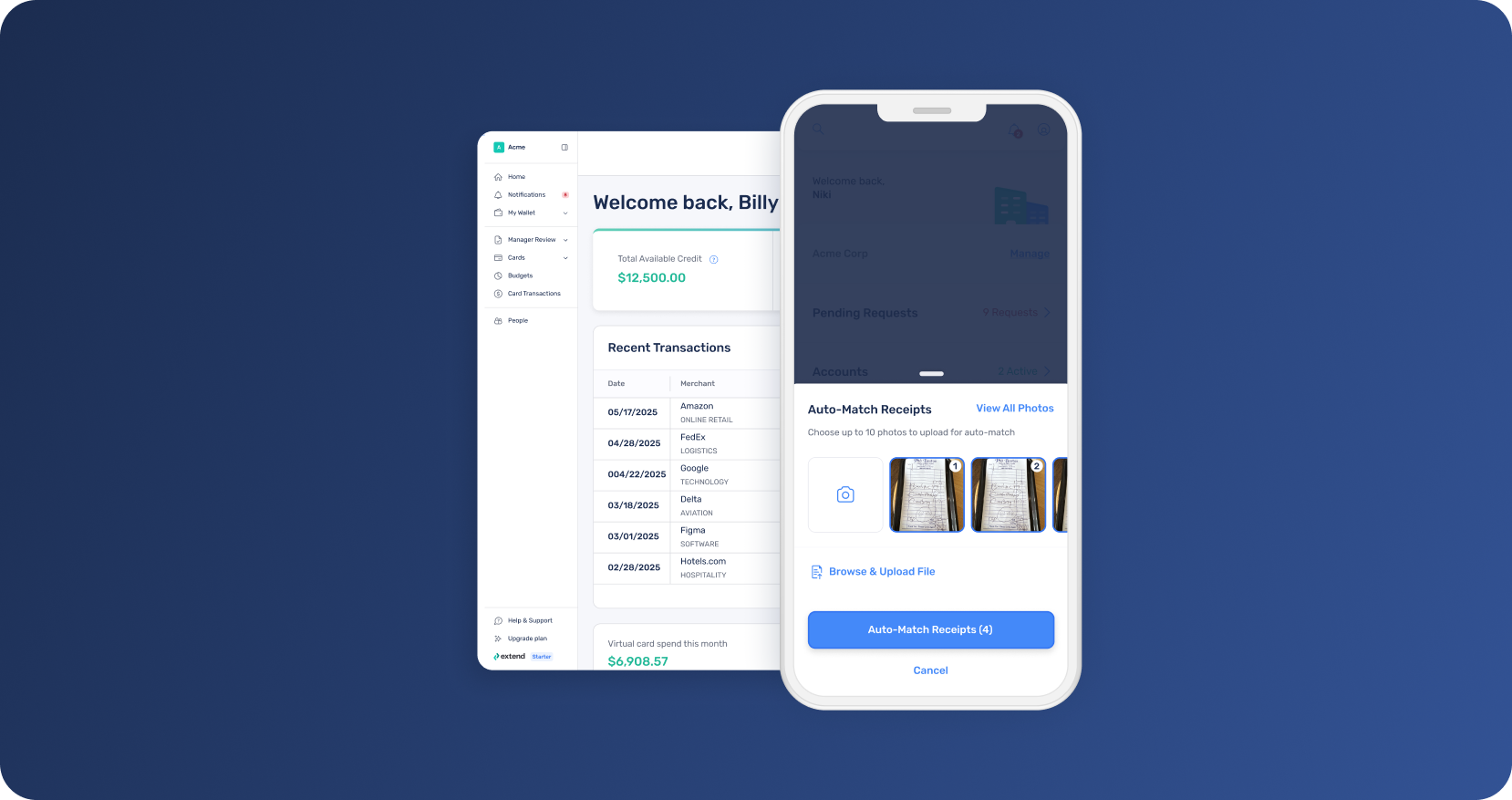
Extend now brings AI-powered expense management across virtually any major business credit card—so you can manage card transactions and reimbursements in one place. Extend automates receipt matching and categorization, supports manager review workflows, and generates dynamic reports across your spend.
The result is less time chasing receipts and correcting transactions, earlier visibility into issues, and a faster, more predictable month-end close. You keep your existing cards and workflows while gaining a single source of truth for expenses.
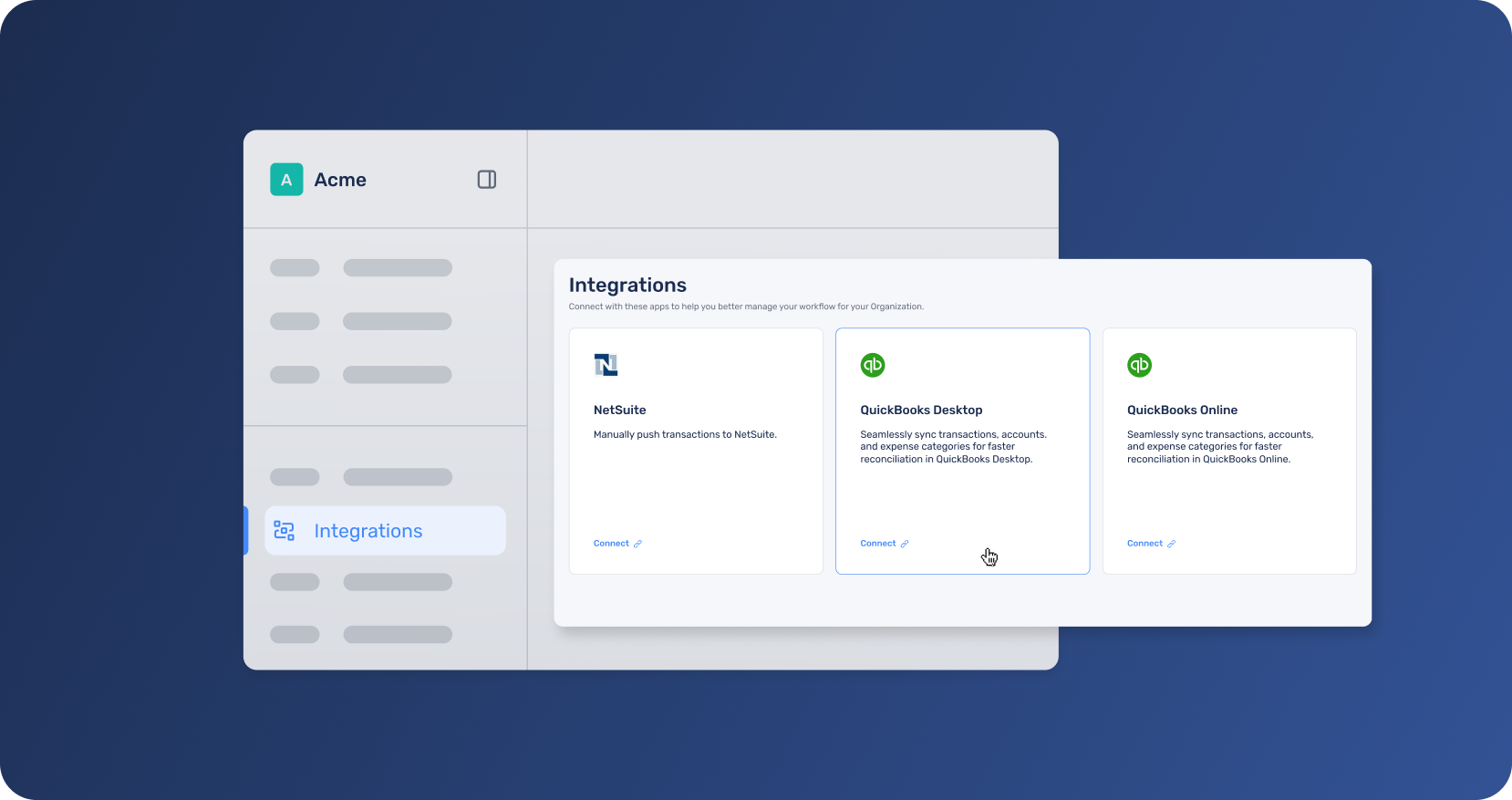
For teams using QuickBooks Desktop, reconciliation just got faster. Extend now syncs cleared transactions directly to QuickBooks Desktop - preserving full transaction context and coding expenses to your existing QuickBooks categories.
This allows your finance team to keep QuickBooks Desktop as the system of record while benefiting from cleaner, standardized expense data flowing directly from Extend. Manual data entry is reduced, transaction coding is standardized, and reconciliation errors are easier to avoid.
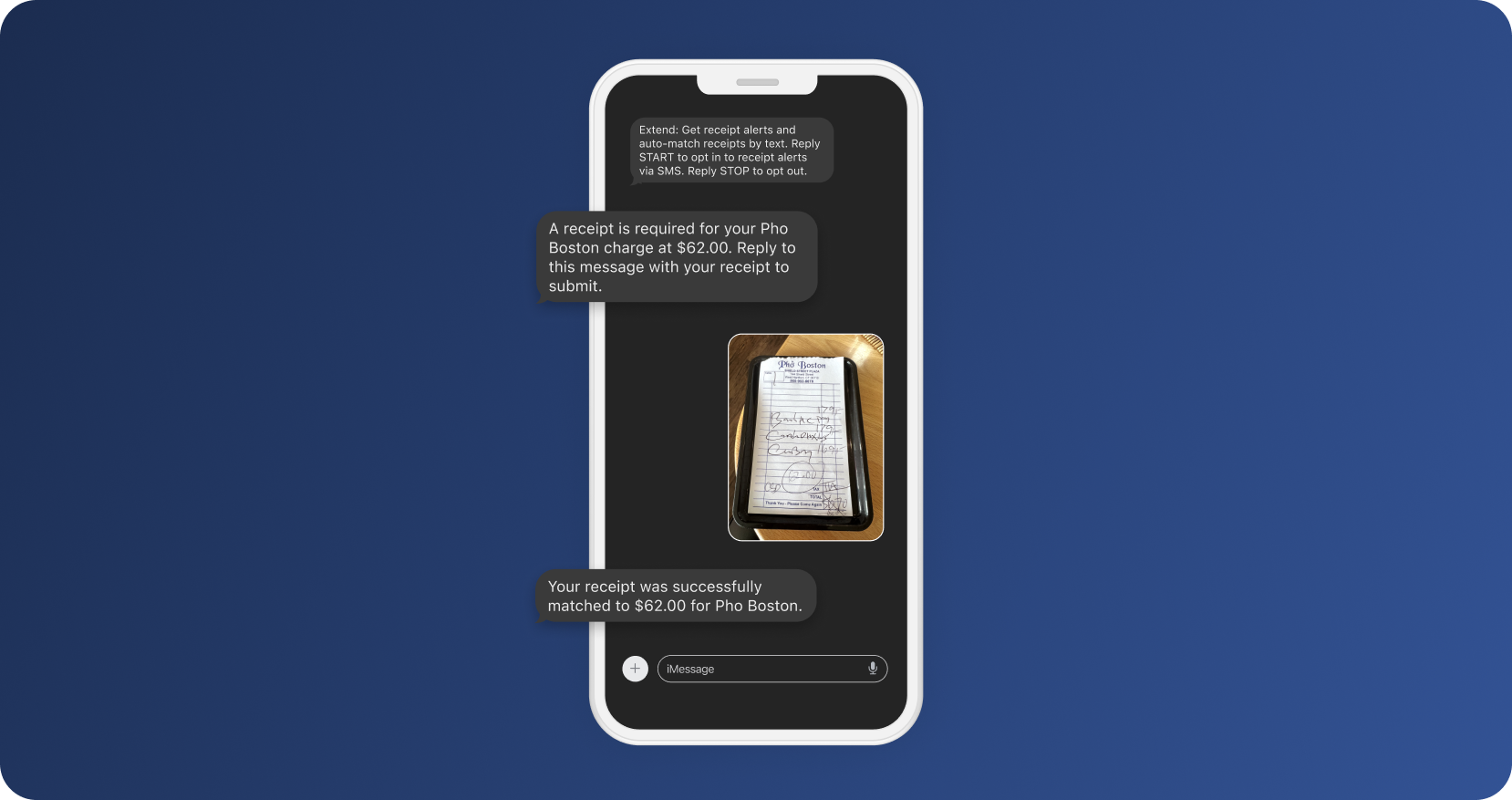
If capturing receipts is slowing employees down—or creating extra follow-ups for finance, allow our AI-powered SMS receipt matching to remove friction from the process. Employees can simply text receipts to Extend, and Extend automatically attaches them to the correct transaction.
Receipts are captured closer to the moment of spend, reducing delays, gaps, and missing documentation. Managers see fewer missing receipts, and finance teams spend less time chasing documentation and more time closing the books with confidence.
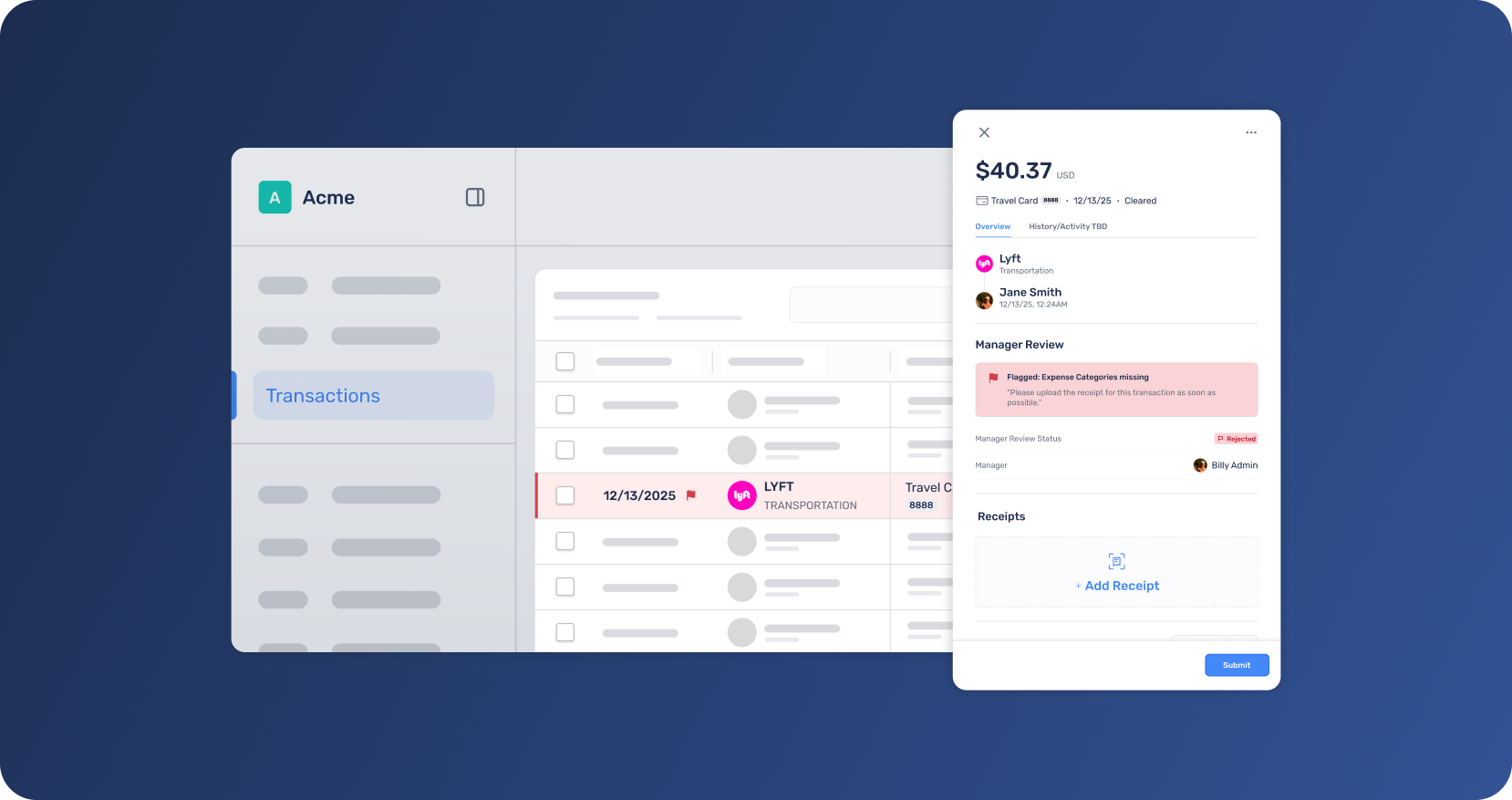
Expense review works best when attention is focused where it matters. With enhanced Manager Review, low-risk transactions move forward automatically, while higher-risk expenses are surfaced for timely, targeted review.
Managers spend less time reviewing routine charges, employees receive clearer and more actionable feedback when updates are needed, and finance teams gain visibility into review decisions without chasing context. The result is faster resolution, fewer bottlenecks, and stronger oversight—without slowing the business down.
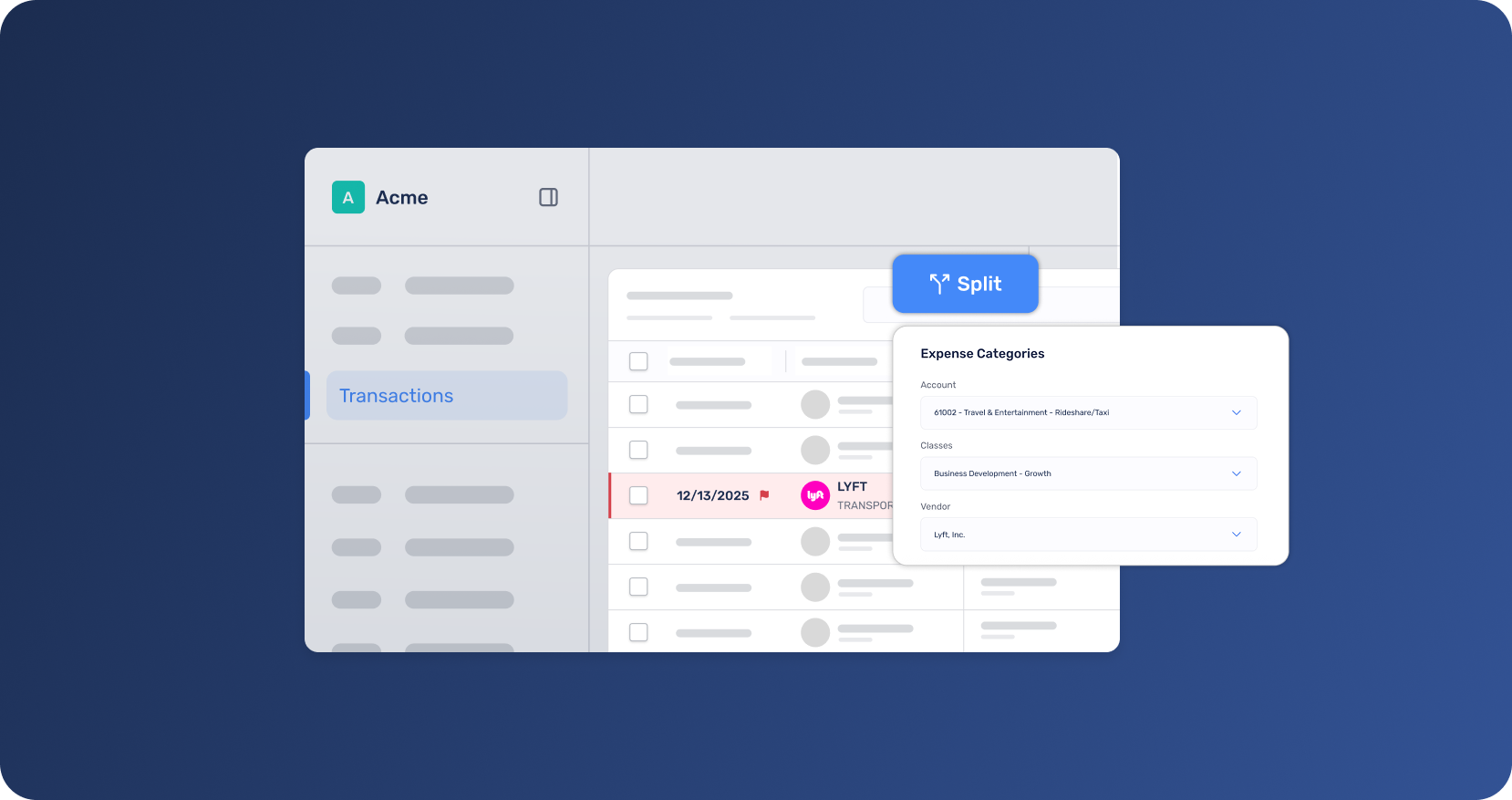
When a single purchase covers multiple cost centers, things can get messy fast. Split Transactions help you clean that up at the source by letting you divide a single transaction across multiple categories right when it happens—no more manual re-coding or downstream corrections.
This means more accurate reporting and fewer adjustments during reconciliation. Finance teams get the accuracy they need, and month-end close moves faster.
These enhancements are designed to make expense management simpler, more automated, more connected, and easier to scale—without forcing you to change banks, cards, or systems you already rely on.
Whether you’re managing expenses across multiple cards, improving reconciliation, or reducing friction in reviews, Extend helps you stay in control as spend grows.
Or learn more about how Extend supports modern automated expense management workflows.
Manager Review, accounting integration, and other advanced features are available to select bank customers and organizations on Pro and Enterprise plans. Starter plan customers can upgrade in app or contact their Admin or Account Manager to learn more.
Dawn Lewis
Controller at Couranto
Bridget Cobb
Staff Accountant at Healthstream
Brittany Nolan
Sr. Product Marketing Manager at Extend (moderator)

As teams grow, so does the complexity of managing expenses. New cards, new tools, new users, and new processes can quickly turn spend and expense management into a patchwork of workflows that slow everyone down.
That’s why we continue to evolve Extend’s spend and expense management platform - helping finance teams gain clearer visibility, automate routine work, and keep controls in place as spending scales. Our latest advancements focus on meeting teams where they already work, improving how expenses are captured and reviewed, and simplifying reconciliation through automation, all without forcing changes to existing workflows.
Here’s a look at what’s new on the platform.
You may rely on one primary corporate card today, but chances are your company doesn’t run on just one card alone. You might use Extend with one bank partner while still having other business cards issued elsewhere.
Extend now brings AI-powered expense management across virtually any major business credit card—so you can manage card transactions and reimbursements in one place. Extend automates receipt matching and categorization, supports manager review workflows, and generates dynamic reports across your spend.
The result is less time chasing receipts and correcting transactions, earlier visibility into issues, and a faster, more predictable month-end close. You keep your existing cards and workflows while gaining a single source of truth for expenses.
For teams using QuickBooks Desktop, reconciliation just got faster. Extend now syncs cleared transactions directly to QuickBooks Desktop - preserving full transaction context and coding expenses to your existing QuickBooks categories.
This allows your finance team to keep QuickBooks Desktop as the system of record while benefiting from cleaner, standardized expense data flowing directly from Extend. Manual data entry is reduced, transaction coding is standardized, and reconciliation errors are easier to avoid.
If capturing receipts is slowing employees down—or creating extra follow-ups for finance, allow our AI-powered SMS receipt matching to remove friction from the process. Employees can simply text receipts to Extend, and Extend automatically attaches them to the correct transaction.
Receipts are captured closer to the moment of spend, reducing delays, gaps, and missing documentation. Managers see fewer missing receipts, and finance teams spend less time chasing documentation and more time closing the books with confidence.
Expense review works best when attention is focused where it matters. With enhanced Manager Review, low-risk transactions move forward automatically, while higher-risk expenses are surfaced for timely, targeted review.
Managers spend less time reviewing routine charges, employees receive clearer and more actionable feedback when updates are needed, and finance teams gain visibility into review decisions without chasing context. The result is faster resolution, fewer bottlenecks, and stronger oversight—without slowing the business down.
When a single purchase covers multiple cost centers, things can get messy fast. Split Transactions help you clean that up at the source by letting you divide a single transaction across multiple categories right when it happens—no more manual re-coding or downstream corrections.
This means more accurate reporting and fewer adjustments during reconciliation. Finance teams get the accuracy they need, and month-end close moves faster.
These enhancements are designed to make expense management simpler, more automated, more connected, and easier to scale—without forcing you to change banks, cards, or systems you already rely on.
Whether you’re managing expenses across multiple cards, improving reconciliation, or reducing friction in reviews, Extend helps you stay in control as spend grows.
Or learn more about how Extend supports modern automated expense management workflows.
Manager Review, accounting integration, and other advanced features are available to select bank customers and organizations on Pro and Enterprise plans. Starter plan customers can upgrade in app or contact their Admin or Account Manager to learn more.
As teams grow, so does the complexity of managing expenses. New cards, new tools, new users, and new processes can quickly turn spend and expense management into a patchwork of workflows that slow everyone down.
That’s why we continue to evolve Extend’s spend and expense management platform - helping finance teams gain clearer visibility, automate routine work, and keep controls in place as spending scales. Our latest advancements focus on meeting teams where they already work, improving how expenses are captured and reviewed, and simplifying reconciliation through automation, all without forcing changes to existing workflows.
Here’s a look at what’s new on the platform.
You may rely on one primary corporate card today, but chances are your company doesn’t run on just one card alone. You might use Extend with one bank partner while still having other business cards issued elsewhere.
Extend now brings AI-powered expense management across virtually any major business credit card—so you can manage card transactions and reimbursements in one place. Extend automates receipt matching and categorization, supports manager review workflows, and generates dynamic reports across your spend.
The result is less time chasing receipts and correcting transactions, earlier visibility into issues, and a faster, more predictable month-end close. You keep your existing cards and workflows while gaining a single source of truth for expenses.
For teams using QuickBooks Desktop, reconciliation just got faster. Extend now syncs cleared transactions directly to QuickBooks Desktop - preserving full transaction context and coding expenses to your existing QuickBooks categories.
This allows your finance team to keep QuickBooks Desktop as the system of record while benefiting from cleaner, standardized expense data flowing directly from Extend. Manual data entry is reduced, transaction coding is standardized, and reconciliation errors are easier to avoid.
If capturing receipts is slowing employees down—or creating extra follow-ups for finance, allow our AI-powered SMS receipt matching to remove friction from the process. Employees can simply text receipts to Extend, and Extend automatically attaches them to the correct transaction.
Receipts are captured closer to the moment of spend, reducing delays, gaps, and missing documentation. Managers see fewer missing receipts, and finance teams spend less time chasing documentation and more time closing the books with confidence.
Expense review works best when attention is focused where it matters. With enhanced Manager Review, low-risk transactions move forward automatically, while higher-risk expenses are surfaced for timely, targeted review.
Managers spend less time reviewing routine charges, employees receive clearer and more actionable feedback when updates are needed, and finance teams gain visibility into review decisions without chasing context. The result is faster resolution, fewer bottlenecks, and stronger oversight—without slowing the business down.
When a single purchase covers multiple cost centers, things can get messy fast. Split Transactions help you clean that up at the source by letting you divide a single transaction across multiple categories right when it happens—no more manual re-coding or downstream corrections.
This means more accurate reporting and fewer adjustments during reconciliation. Finance teams get the accuracy they need, and month-end close moves faster.
These enhancements are designed to make expense management simpler, more automated, more connected, and easier to scale—without forcing you to change banks, cards, or systems you already rely on.
Whether you’re managing expenses across multiple cards, improving reconciliation, or reducing friction in reviews, Extend helps you stay in control as spend grows.
Or learn more about how Extend supports modern automated expense management workflows.
Manager Review, accounting integration, and other advanced features are available to select bank customers and organizations on Pro and Enterprise plans. Starter plan customers can upgrade in app or contact their Admin or Account Manager to learn more.
As teams grow, so does the complexity of managing expenses. New cards, new tools, new users, and new processes can quickly turn spend and expense management into a patchwork of workflows that slow everyone down.
That’s why we continue to evolve Extend’s spend and expense management platform - helping finance teams gain clearer visibility, automate routine work, and keep controls in place as spending scales. Our latest advancements focus on meeting teams where they already work, improving how expenses are captured and reviewed, and simplifying reconciliation through automation, all without forcing changes to existing workflows.
Here’s a look at what’s new on the platform.
You may rely on one primary corporate card today, but chances are your company doesn’t run on just one card alone. You might use Extend with one bank partner while still having other business cards issued elsewhere.
Extend now brings AI-powered expense management across virtually any major business credit card—so you can manage card transactions and reimbursements in one place. Extend automates receipt matching and categorization, supports manager review workflows, and generates dynamic reports across your spend.
The result is less time chasing receipts and correcting transactions, earlier visibility into issues, and a faster, more predictable month-end close. You keep your existing cards and workflows while gaining a single source of truth for expenses.
For teams using QuickBooks Desktop, reconciliation just got faster. Extend now syncs cleared transactions directly to QuickBooks Desktop - preserving full transaction context and coding expenses to your existing QuickBooks categories.
This allows your finance team to keep QuickBooks Desktop as the system of record while benefiting from cleaner, standardized expense data flowing directly from Extend. Manual data entry is reduced, transaction coding is standardized, and reconciliation errors are easier to avoid.
If capturing receipts is slowing employees down—or creating extra follow-ups for finance, allow our AI-powered SMS receipt matching to remove friction from the process. Employees can simply text receipts to Extend, and Extend automatically attaches them to the correct transaction.
Receipts are captured closer to the moment of spend, reducing delays, gaps, and missing documentation. Managers see fewer missing receipts, and finance teams spend less time chasing documentation and more time closing the books with confidence.
Expense review works best when attention is focused where it matters. With enhanced Manager Review, low-risk transactions move forward automatically, while higher-risk expenses are surfaced for timely, targeted review.
Managers spend less time reviewing routine charges, employees receive clearer and more actionable feedback when updates are needed, and finance teams gain visibility into review decisions without chasing context. The result is faster resolution, fewer bottlenecks, and stronger oversight—without slowing the business down.
When a single purchase covers multiple cost centers, things can get messy fast. Split Transactions help you clean that up at the source by letting you divide a single transaction across multiple categories right when it happens—no more manual re-coding or downstream corrections.
This means more accurate reporting and fewer adjustments during reconciliation. Finance teams get the accuracy they need, and month-end close moves faster.
These enhancements are designed to make expense management simpler, more automated, more connected, and easier to scale—without forcing you to change banks, cards, or systems you already rely on.
Whether you’re managing expenses across multiple cards, improving reconciliation, or reducing friction in reviews, Extend helps you stay in control as spend grows.
Or learn more about how Extend supports modern automated expense management workflows.
Manager Review, accounting integration, and other advanced features are available to select bank customers and organizations on Pro and Enterprise plans. Starter plan customers can upgrade in app or contact their Admin or Account Manager to learn more.
Learn more about Extend and find out if it's the right solution for your business.


%201.png)


%201.png)
